SQL Server Performance Tuning using Filtered Covering Index takes you through a simple scenario where filtered indexes are helpful to improve the performance of frequently used queries. Before starting, I assume that you know “WHAT” a filtered index is or have a look at here. Filtered indexes are very helpful to cover frequently used queries with the minimized index size and maintenance cost. Lets consider a simple scenario as below:
Note: I am using the database [AdventureWorks2016]
Let’s say we have a query to fetch order details for a specific product (870). The same query has been getting called 8 to 10 times per minute. Now, our job is to improve the query performance:
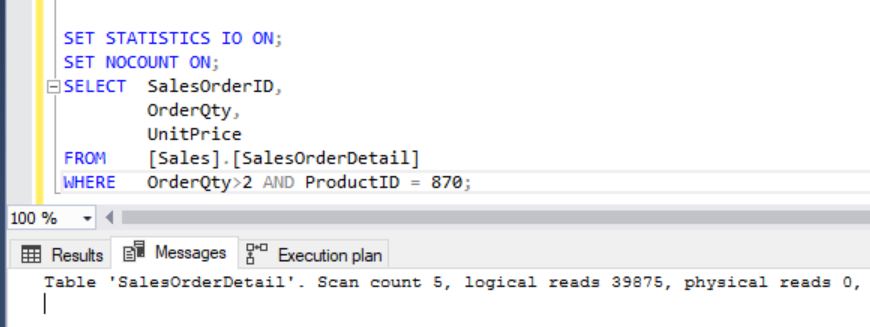
SELECT SalesOrderID,
OrderQty,
UnitPrice
FROM [Sales].[SalesOrderDetail]
WHERE OrderQty > 2 AND ProductID = 870;
Analysis:
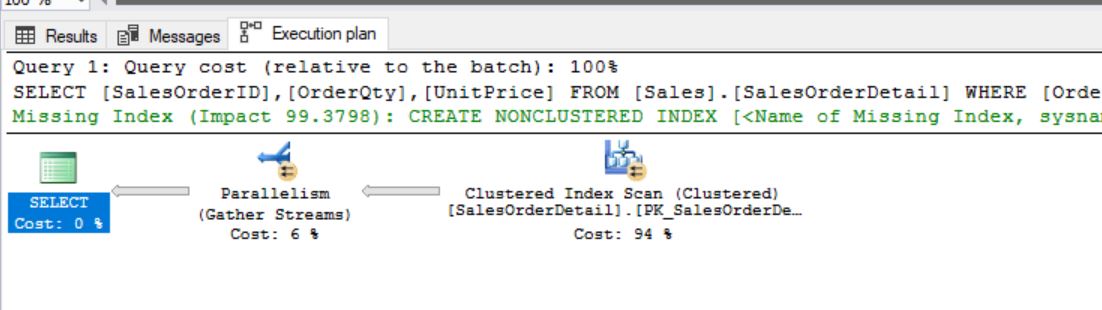
It’s just a simple query and it’s fetching SalesOrderID, OrderQty and UnitPrice for the Product 870 where OrderQty is greater than N(N is a variable). Before looking into the improvement aspects first we’ll see the execution plan and write down our observations:
Switching off ROW COUNT’s and ON statistics:
Observations:
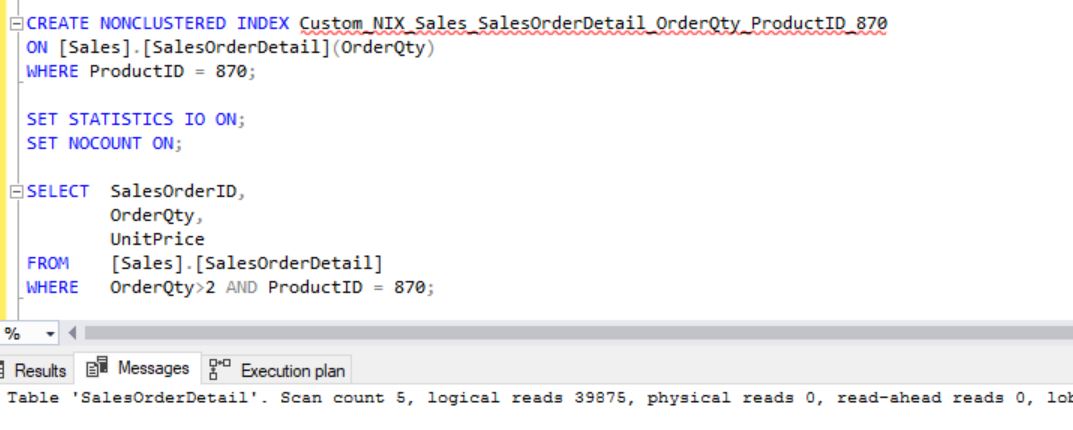
- Total Logical Reads: 39875
- Clustered Index Scan is happening with Parallelism
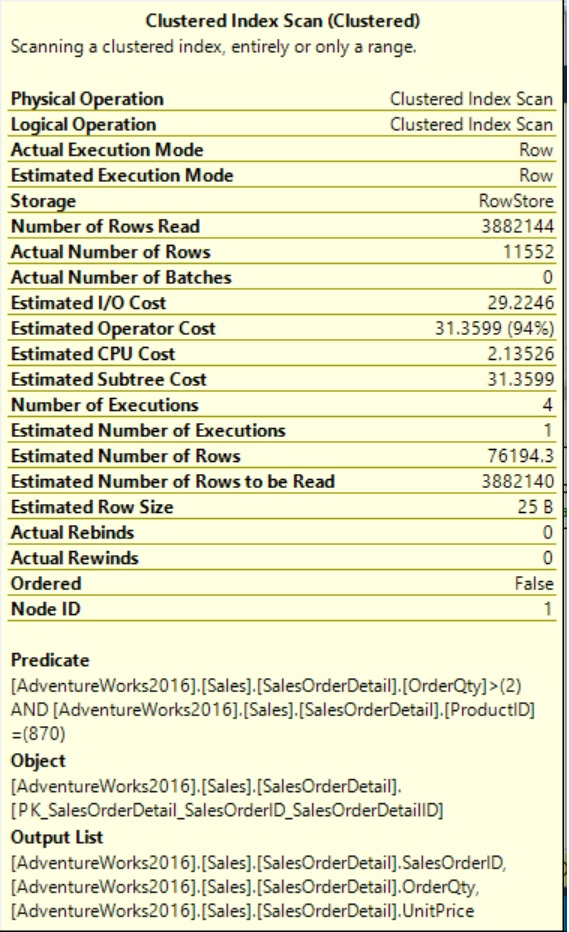
- From Tool Tip:
- Object (Index is being used): PK_SalesOrderDetail_SalesOrderID_SalesOrderDetailID
- Output List (Columns Fetching): SalesOrderID, OrderQty and UnitPrice
- Predicate (Condition): OrderQty > 2 AND ProductID = 870
Find the Solution for Improvements:
Do we really need an index here?
Ans:
Yes, we need any index as the same query is getting called for 8 to 10 times per minute. Also, we could see high on logical reads.
How to decide the index key columns?
Ans:
Your queries where clause can answer this question.
Predicate is OrderQty > 2 AND ProductID = 870.
Now, it’s clear that we need to choose OrderQty AND ProductID are the key columns of the index.
INDEX (ProductID, OrderQty).
But, as per the business requirement OrderQty is a variable which means its value may get changed from time to time. But, productID is 870 only as our business focus is only on specific product 870. Since ProductID = 870 is constant and the same query is getting used widely, we can apply the same filter on Index:
INDEX (OrderQty)
WHERE ProductID = 870.
We determined the key columns also, applied the required filter on it. Now, we will create an index and see how it works.
Create Index and Test it:
CREATE NONCLUSTERED INDEX Custom_NIX_Sales_SalesOrderDetail_OrderQty_ProductID_870
ON [Sales].[SalesOrderDetail] (OrderQty)
WHERE ProductID = 870;
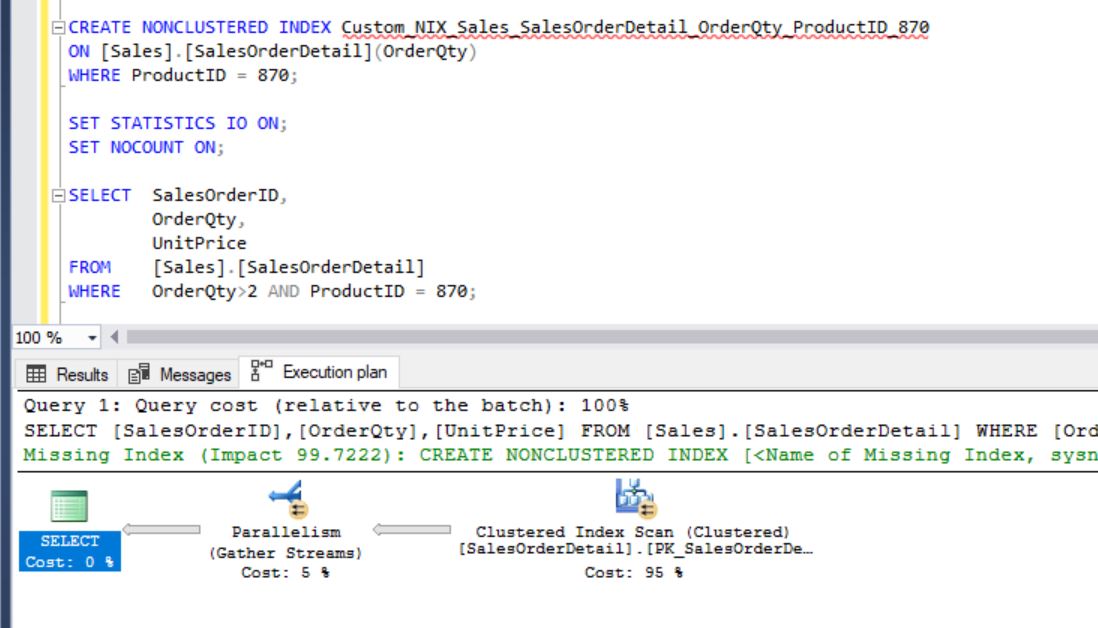
Surprising, isn’t it? We’ve created a filtered index that exactly covers the query. But, still it’s doing the clustered index scan. Why it’s not using the index that we have created? Let’s force it to use the index that we’ve created. Then, we’ll come to know why it’s not a proper index:
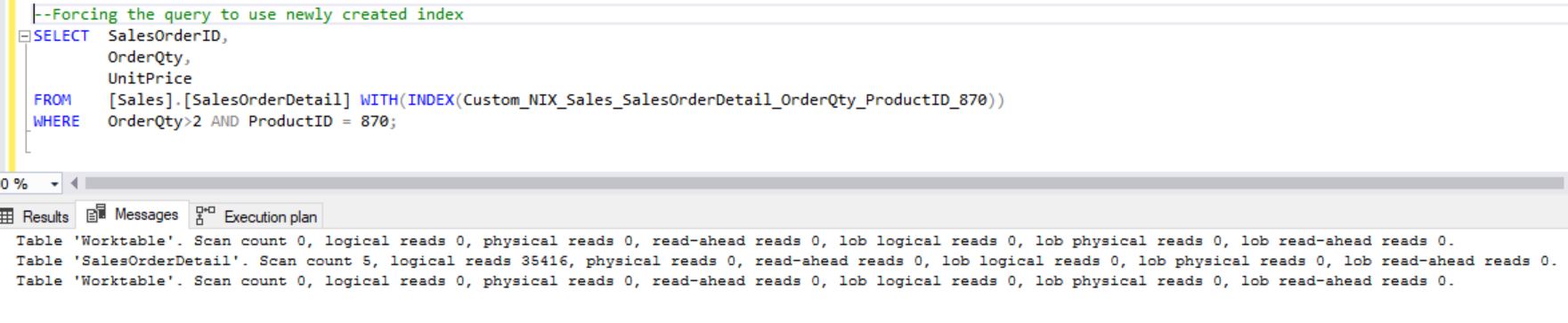
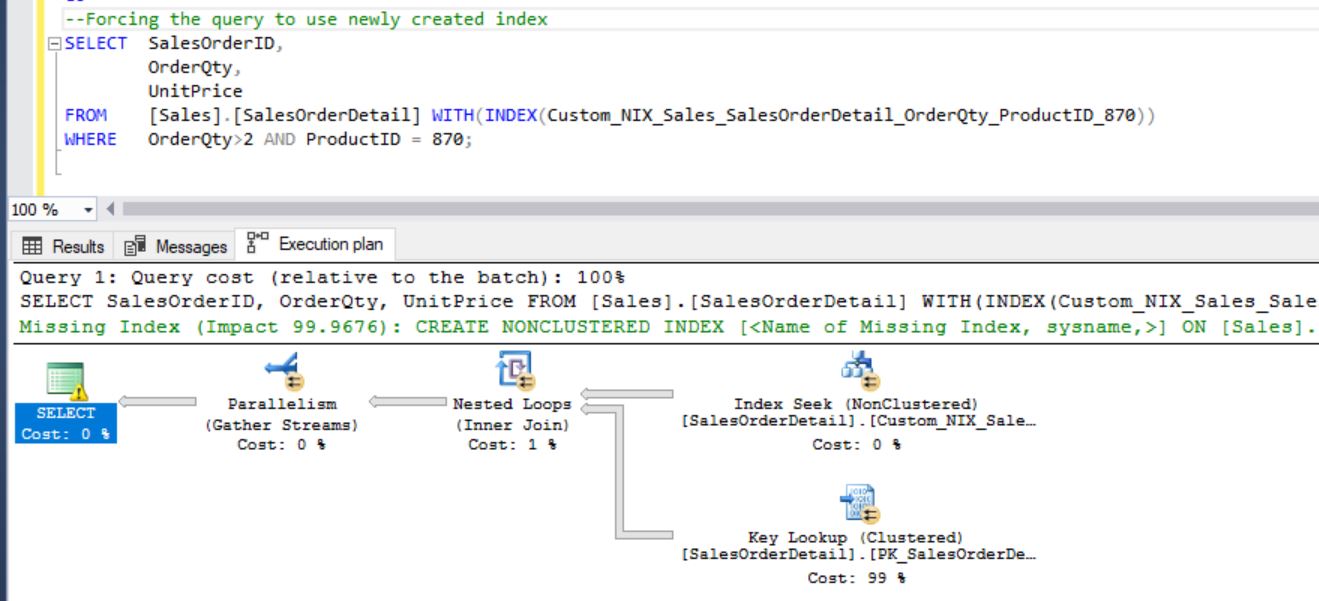
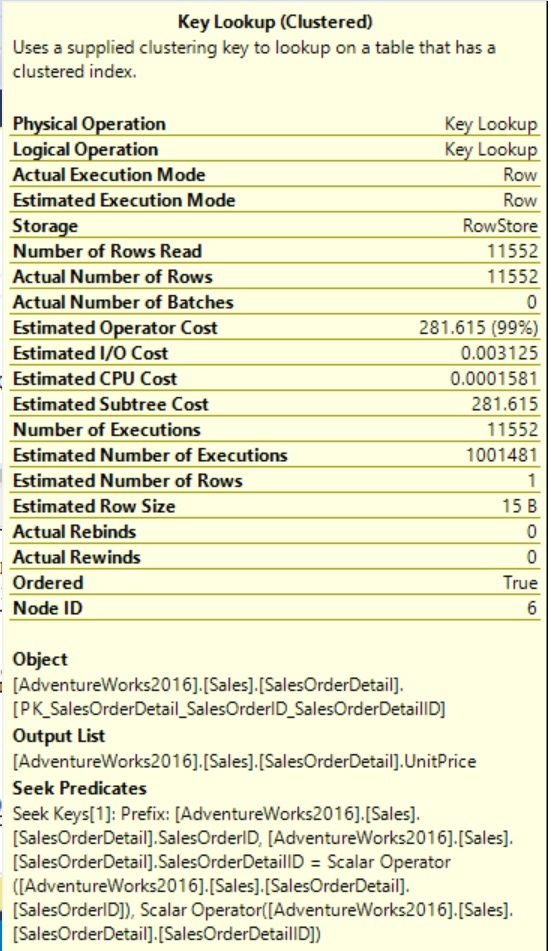
- From the above images you can clearly see that why optimizer didn’t choose the newly created index unless you forced it.
- It’s not being used as it’s not the optimized plan. We can see that it’s creating “WorkTable” a temp table on TempDB.
- Also, the Key Lookup is happening for the column “UnitPrice” and it’s taking the 97% of cost. For each row filtered in Index Seek a Key Lookup is running for the corresponding UnitPrice.
- Also, we can see the number of executions in Key Lookup is 11552. You have created an index but still the problem is not resolved yet. How to fix and improve it?
Draw the conclusion:
- If we can remove the Key Lookup then optimizer surely chose the covering filtered index that we created as a solution.
- Remove the Key Lookup by including the column “UnitPrice” as below:
CREATE NONCLUSTERED INDEX Custom_NIX_Sales_SalesOrderDetail_OrderQty_ProductID_870
ON [Sales].[SalesOrderDetail](OrderQty)
INCLUDE (UnitPrice)
WHERE ProductID = 870;
Test the Solution:
After adding the included column, you can see the optimizer started using the newly created index:
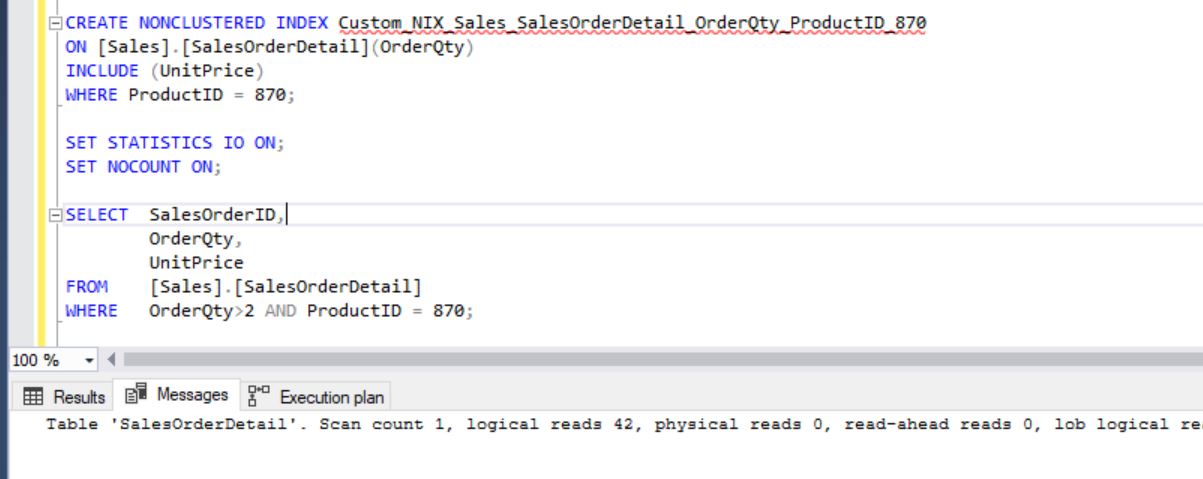
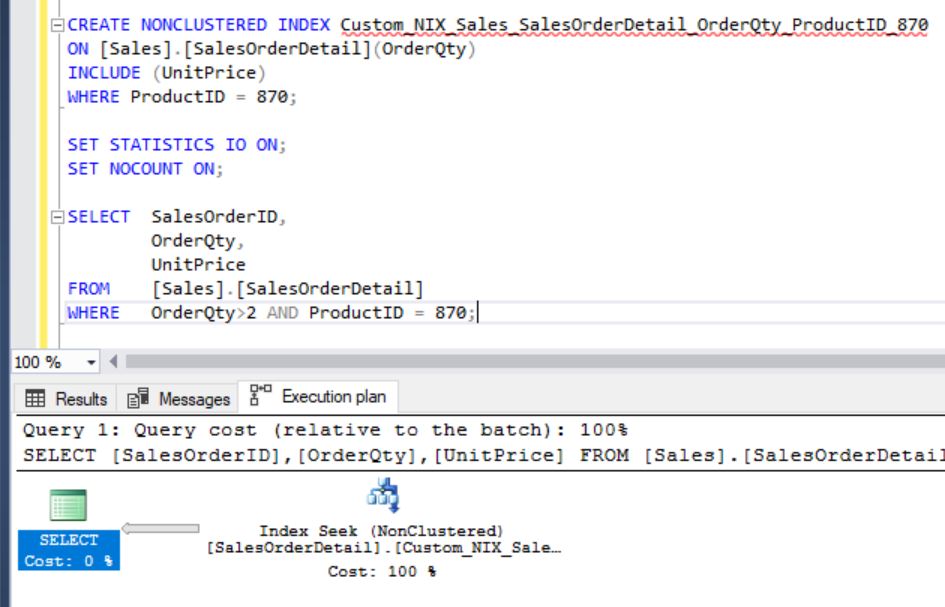
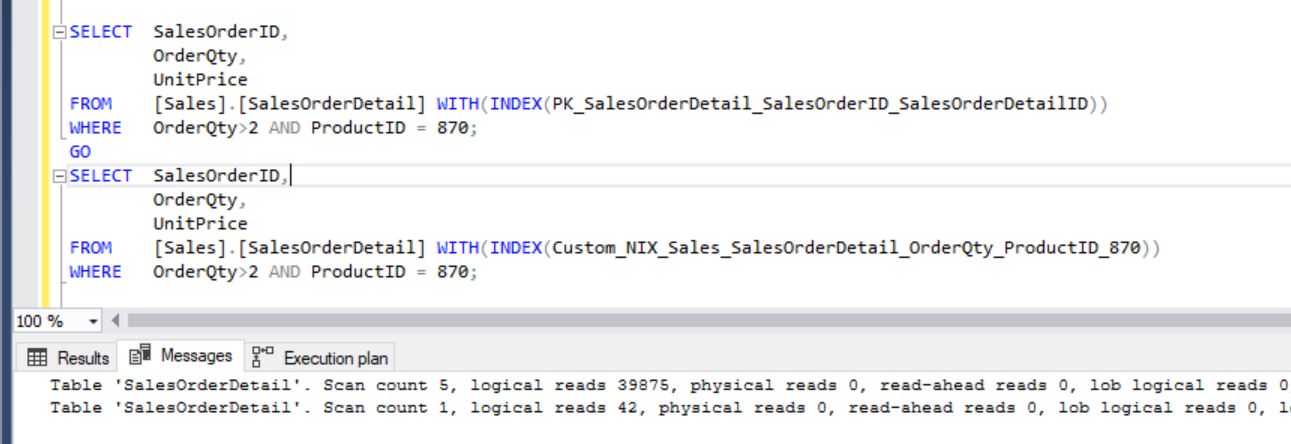
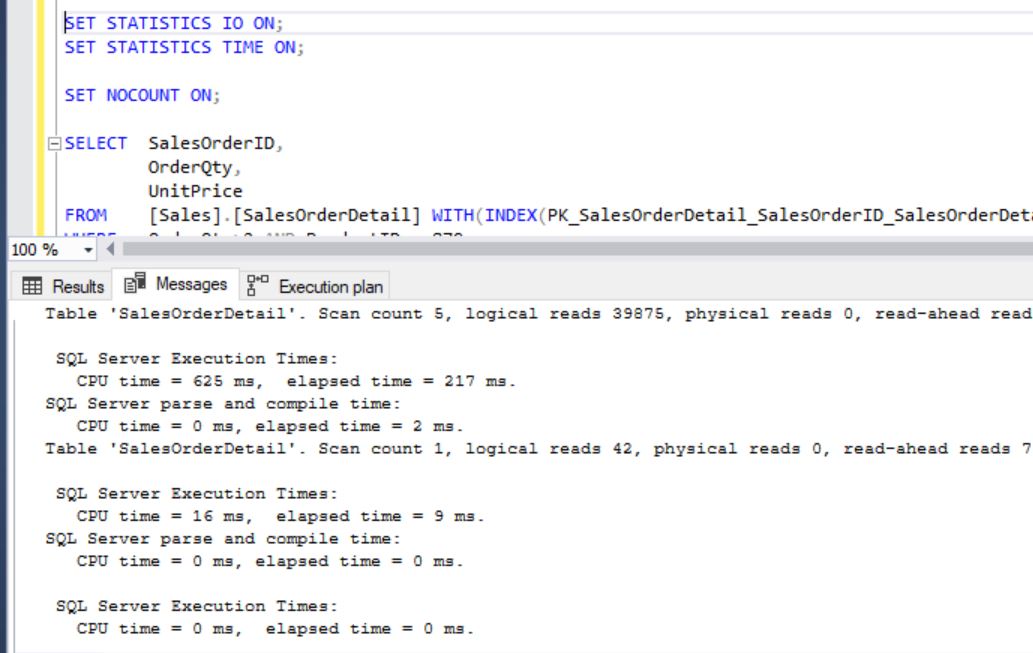
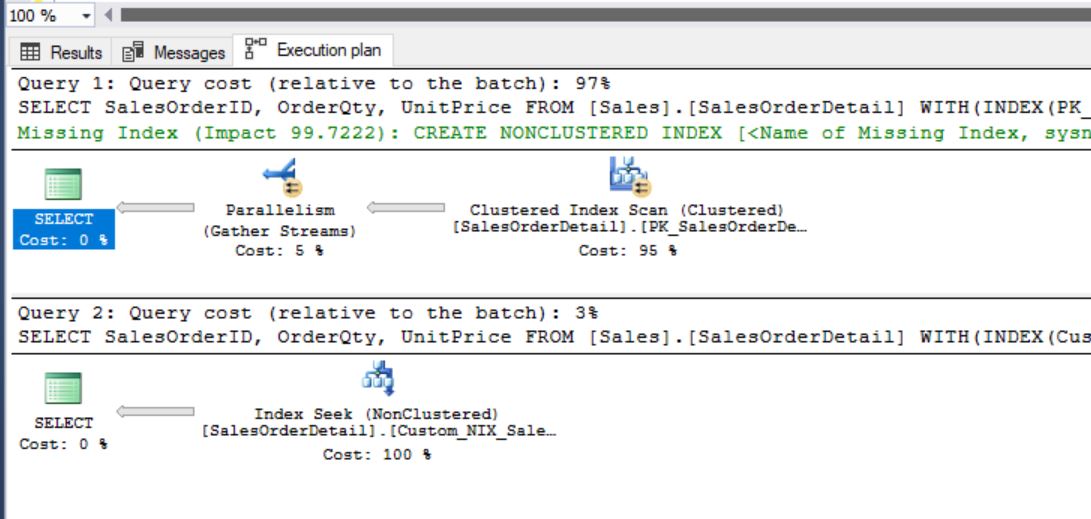
Now, compare the executions between Clustered Index SCAN and newly created Non-Clustered filtered index seek:
Performance Improvements:
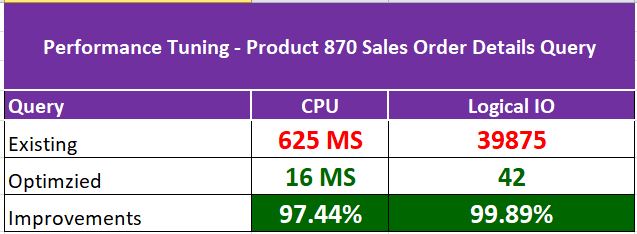
We could see the improvement of 97% in CPU and 99% in IO. This is all we are just talking about one execution. If you can calculate the average improvement based on number of executions per a given day, it’ll be huge and you can project the same to your end customer.
Summary:
- Always chose the right candidate for the right position (Key Column, Filtered Column and Include column).
- Costly Key lookups are the first thing to be removed from your execution plans.
- Always consider the data growth percentage in production while designing an index.
- Filtered indexes are really helpful for more frequent queries based on a constant conditions as it reduces the index storage which in-turns reduces the maintenance.
- Post SQL Server Performance Tuning using Filtered Covering Index can help you to understand the basics of covering filtered index usage in real time production environment.