AI Isn’t Magic — It’s Just Math and Logic with Data

Professional man analyzing data and formulas representing artificial intelligence as math and logic.

Interpreting AI for Data People

When people hear “AI,” they often imagine something mysterious — almost like magic. A black box that thinks and decides on its own. But the truth is much simpler:

AI isn’t magic. It’s just math, logic, and lots of data — packaged in clever ways.

If you’re a Data Pro (SQL Developer, DBA, Data Engineer, or Data Analyst) you already work with data every day.

The good news? That’s the foundation of AI.

In this post, let’s break AI into concepts you already understand, so you can see it for what it really is — and how you can work with it.

What Is AI Really Doing?

At its core, AI doesn’t actually ‘think’ like a human—at least not yet. It identifies patterns in data, applies probabilistic reasoning, and generates outputs based on probability.

Professional man analyzing data and formulas representing artificial intelligence as math and logic.

How?By using:

  1. Math — linear algebra, statistics, probability
  2. Logic — rules, if-then conditions, optimization steps
  3. Data — massive datasets to “learn” relationships

Think of it like:

  • SQL Query Optimization: The optimizer finds the “best plan” based on statistics.
  • Index Recommendations: Database engine suggests indexes by analyzing patterns in query usage.
  • Power BI’s Key Influencers Visual: Uses regression and decision trees to explain what drives an outcome.

Everyday AI in Action:

  • Spam Filter in Email → Learns patterns in words/senders and predicts what looks like spam.
  • Google Maps Traffic Prediction → Uses past traffic data + real-time signals to estimate travel time.
  • Netflix / Prime Recommendations → Suggests movies by finding patterns in what you and others watched.
  • Voice Assistants (Alexa, Siri, Google): Understand and respond to natural language.
  • Self-Driving Cars: Detect objects, predict movement, and make driving decisions in real time.
  • ChatGPT, Gemini, Grok, Claud, Llama & Copilot etc.: Generate human-like text, code, image, video etc.
  • Medical Imaging AI: Identify tumours or diseases from X-rays and MRIs.
  • Customer Support Chatbots: Resolve queries with conversational AI instead of scripts.
  • Personalized Ads: Predict what products you’re most likely to click on.

None of these are magic. They’re algorithms, math, and data-driven decisions — the same building blocks AI uses.

How AI Relates to What You Already Know

If you’ve ever:

  • Used a CASE statement in SQL
  • Written a WHERE filter to segment data
  • Created a KPI or trend report in Power BI
  • Tuned a query using statistics

…you’ve already touched on the core principles AI relies on.

AI just:

  • Scales it up (billions of rows, huge dimensions)
  • Automates the math (no manual regression or probability calculations)
  • Learns patterns dynamically (not just from fixed rules)

Breaking Down AI in Simple Data Terms

For most Data People, AI feels mysterious because people throw around words like neural networks, embeddings, and transformers. But here’s how to think about it in terms you already know:

1. Machine Learning (ML) — Like Advanced GROUP BY and Pattern Detection

Imagine you’re analyzing customer churn (when customers stop using your service or leave your business). Normally, you’d:

  • Write a GROUP BY query to segment customers.
  • Calculate churn rates manually.
  • Decide thresholds for “at-risk” customers.

Machine Learning does this automatically:

  • It looks at historical data (who churned, who stayed).
  • It finds patterns — age, region, purchase frequency, etc.
  • It predicts who might churn next, without you manually coding the logic.

Think of ML as: An automated analyst that builds “smart” GROUP BYs and CASE rules based on past data.

2. Large Language Models (LLMs) — Like Super-Powered IntelliSense

You know how IntelliSense in IDEs like SSMS or VS Code helps you autocomplete code?
LLMs like GPT work the same way — but for any text.

  • You type: “Get me all policies with claims above $10,000 this year.”
  • It predicts the SQL query you want, using patterns it learned from billions of examples.

It doesn’t “understand” like a human — it just guesses the most likely text (or SQL or python) based on context.

Think of LLMs as: A hyper-intelligent autocomplete system, trained on massive datasets.

3. AI Agents — Like Dynamic Stored Procedures with Decision-Making

A stored procedure can:

  • Take input
  • Run queries
  • Return results

But an AI agent can do more:

  • Read a requirement (in plain English)
  • Write the SQL or Python code
  • Execute the query
  • Analyze the result
  • Decide what to do next (alert a team, generate a report, update a dashboard)

Think of AI Agents as: A stored procedure that not only runs, but also thinks about what to do next — based on goals you set.

Why This Matters

Because once you see that AI is just structured math and data, it stops feeling like a mystery. And you realize:  

  1. You already understand its building blocks.
  2. You don’t need a PhD to start using it.
  3. You can build AI-powered workflows using the same tools you already know (SQL, Python, Power BI, etc.).

Final Takeaway

  • AI isn’t a magical black box.
    It’s probabilities, rules, and data — supercharged by compute power.
  • And as someone who already understands data, you’re halfway there.

Coming up next…

We’ll explore the evolution of AI and how it became what it is today.

Let’s keep building “AI The One — With Uday.”

#Foundation #learn #ai #sql #dba #llm #dataengineer #dataanalyst #genai #agenticai #openai #llama

Posted in AI for Data People | Tagged , , , , , , , , , , , , , , | 1 Comment

“Will AI Replace You?”

The Real Answer Behind the Fear — and How to Stay Ahead of the Curve

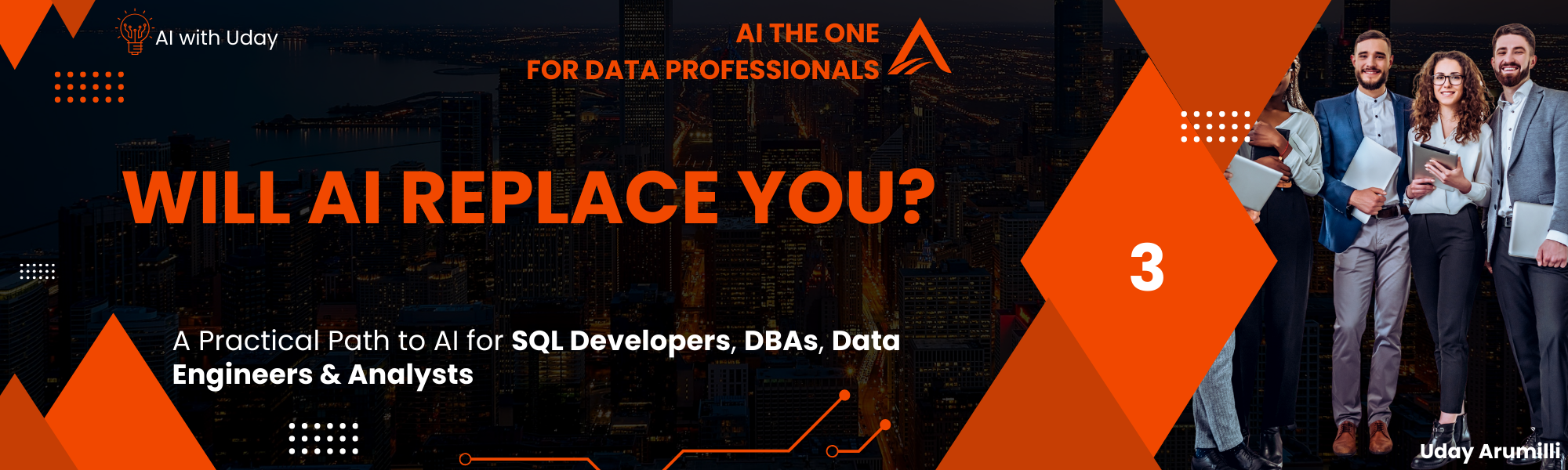
A human professional and a humanoid robot facing each other with a question mark between them, symbolizing the debate on whether AI will replace humans.

You’ve likely come across this question in team discussions, forums, or even casual lunch breaks:
Will AI replace my job as a DBA? A SQL Developer? A Data Engineer? Or a Data Analyst?

It’s a valid concern. The common response is, “AI won’t replace you — but someone who knows how to use AI might.” And that’s absolutely true.”

And in this blog, we’ll break that down clearly — role by role — and show how AI can actually make you more valuable, not obsolete.

The Truth: AI Isn’t Here to Replace — It’s Here to Amplify

A human professional and a humanoid robot facing each other with a question mark between them, symbolizing the debate on whether AI will replace humans.

Let’s clear something up early:

  • AI doesn’t replace people. It replaces tasks — especially those that are repetitive, time-consuming, or rule-based.

So, what does that mean for your day-to-day work?

  • Let’s look at real-world examples.

Checkmark with solid fill What AI Can Do (And Does Well)

  • Write boilerplate (standard) SQL & Python scripts
  • Generate documentation for stored procedures or pipelines
  • Summarize log files or execution plans
  • Create sample and synthetic data
  • Convert natural language to SQL or Python
  • Identify anomalies in your ETL pipelines
  • Assist in optimizing indexes or partition strategies
  • Create test cases or unit test coverage for data workflows

Close with solid fill What AI Can’t (And Shouldn’t) Replace

  • Understanding business context behind queries
  • Designing data models and system architecture
  • Making judgment calls on cost, security, compliance, performance
  • Managing incident response or disaster recovery
  • Collaborating across teams and translating data into decisions
  • Thinking strategically about data quality, governance, and trust

Let’s Go Role by Role

SQL DBA: Will AI Replace You?

Not at all. But it will change what you spend time on.

Checkmark with solid fill What AI can help with:

  • Auto-tuning indexes
  • Identifying slow queries and suggesting plans
  • Reviewing SQL Agent job logs with summarization
  • Analyzing access patterns and potential anomalies
  • Advanced monitoring and alert management

Close with solid fill What still needs YOU:

  • Leveraging AI services and tools effectively in your job.
  • Disaster recovery and high availability planning
  • Security, encryption, user access controls
  • Capacity planning, backup strategies, and compliance
  • Understanding the why behind performance issues, not just the what

Think of AI as your junior assistant — scanning logs, suggesting changes, running tests — but you make the final call.

SQL Developer: Will AI Replace You?

No — but it will redefine your workflow.

Checkmark with solid fill What AI can help with:

  • Writing basic to advanced queries from natural language
  • Refactoring legacy SQL code
  • Writing code for database objects like stored procedures, functions, or views etc.
  • Generating documentation or comments
  • Creating mock data for testing

Close with solid fill What still needs YOU:

  • Leveraging AI services and tools effectively in your job.
  • Writing business-specific logic
  • Designing efficient joins and nested logic
  • Understanding schema relationships
  • Handling exceptions, edge cases, and data anomalies
  • Collaborating with stakeholders on requirements

AI can help you write faster, but only you know which query actually meets the business need.

Data Engineer: Will AI Replace You?

Not at all. But it’ll give you superpowers.

Checkmark with solid fill What AI can help with:

  • Automating data cleaning or feature engineering
  • Generating PySpark or Pandas code
  • Writing Airflow DAGs or pipeline YAMLs
  • Parsing log files and summarizing ETL errors
  • Validating schema drift and pipeline failures

Close with solid fill What still needs YOU:

  • Building scalable ingestion pipelines
  • Managing orchestration across cloud and hybrid environments
  • Handling edge cases in semi-structured or streaming data
  • Ensuring data quality, lineage, and security
  • Designing for cost-efficiency, latency, and reliability

AI will help you build and test faster — but you’re still the architect.

Data Analyst: Will AI Replace You?

No — but it will supercharge your insights and speed.

 What AI can help with:

  • Interpreting dashboards and summarizing trends
  • Automating report generation (Power BI, Excel, Tableau)
  • Translating natural language questions into SQL or DAX
  • Cleaning and preparing data (suggesting joins, imputing missing values)
  • Identifying anomalies or outliers in datasets
  • Generating narrative insights from charts
  • Forecasting based on past trends (with Gen AI suggestions)

Close with solid fill What still needs YOU:

  • Asking the right business questions
  • Defining KPIs and metrics that align with strategy
  • Validating and interpreting AI-generated insights
  • Ensuring data is accurate, relevant, and actionable
  • Presenting insights to stakeholders with proper context
  • Judging whether trends are meaningful or just noise
  • Bridging the gap between raw data and real-world decisions

AI can answer questions — but only you know which questions matter to the business.

The Real Danger Is Ignoring AI

It’s not about losing your job to AI — it’s about falling behind if you don’t learn how to use it.

People who learn how to use AI tools:

  • Write SQL, Python 5x faster
  • Debug and deploy pipelines faster
  • Have more time for strategic work
  • Deliver more business value in less time

AI Can Write Great Code — But Can You Trust It Blindly?

Let’s take a step back and compare this to something we all understand:

  • Imagine you have a health issue.
  • You feed your symptoms into an AI diagnosis tool, and it suggests a medicine.
    Now, would you use that pill immediately — without consulting a real doctor?
  • Of course not.
  • Because even though the AI might be right, the risk is too high if it’s wrong.

Now let’s apply that to our world of data:

You receive a new business requirement. You ask Gen AI (like ChatGPT, Copilot, Grok, Gemini, or Claude) to write the SQL or Python code for it. It gives you a well-structured, confident-looking script.

Now ask yourself:

  • Do you commit it directly to source control?
  • Do you trigger a deployment pipeline and push it to UAT or Production as-is?

No. And you shouldn’t.

Because AI doesn’t:

  • Know your business logic
  • Understand your data anomalies
  • Enforce your compliance constraints
  • Handle edge cases, null scenarios, or data corruption
  • Consider your performance SLAs, index strategies, or audit triggers

Note:

  • AI can be a brilliant code assistant, but it’s not a production-level decision-maker.
  • Just like the AI doctor can assist diagnosis, but the real doctor makes the call.
    you are still the owner of the logic, quality, and consequences of the code.
  • Use AI to write, but use your brain to validate, test, and decide.

This is where your experience and expertise as a SQL Developer, DBA, Data Engineer, or Data Analyst still reign supreme. The best professionals will learn how to work with AI, not trust it blindly.

Why Your Role is Future-Proof

AI excels at scale and speed but lacks the human touch—context, judgment, and innovation. You’re the bridge between raw data and business value, adapting AI tools to solve unique challenges. Moreover, companies need professionals to oversee AI systems, interpret results, and ensure ethical use—roles that demand your skills. The U.S. Bureau of Labor Statistics projects a 15% growth in data engineering jobs by 2032, with AI proficiency as a key driver.

Adopt to the Change

Instead of fearing replacement, see AI as your career co-pilot.

  • Start small — experiment with tools like AI2SQL, Cursor AI, Claude Desktop, GPT Codex, GitHub Copilot, Azure SQL Copilot, or Amazon CodeWhisperer to generate or refactor SQL queries or Python code.
  • Use GaussMaster or Redgate SQL Monitor for intelligent database monitoring.
  • Explore Windsurf, DataStax Astra Assist, or Microsoft Fabric Copilot to prototype data pipelines and transformations.
  • For Data Analysts, try ThoughtSpot Sage, Power BI Copilot, or Qlik AutoML to analyze data with conversational AI. Dive into dbt Cloud’s AI Assist for transforming data in the modern stack, or use Hex Magic Cells for guided data storytelling.

The Bottom Line

AI won’t replace you – it will redefine your impact.

Let’s shift the mindset. Instead of thinking: “Will AI replace me?”, start asking “What can AI take off my plate, so I can focus on higher-value work?

“The future isn’t about replacement; it’s about augmentation. Are you ready to steer this journey?”

Coming up next…

AI Isn’t Magic — It’s Just Math and Logic with Data

#learn #ai #sql #dba #llm #dataengineer #dataanalyst #genai #agenticai#openai #llama

Posted in AI for Data People | Tagged , , , , , , , , , , , , , , | 1 Comment

Why Every Data Professional Should Care About AI Now?

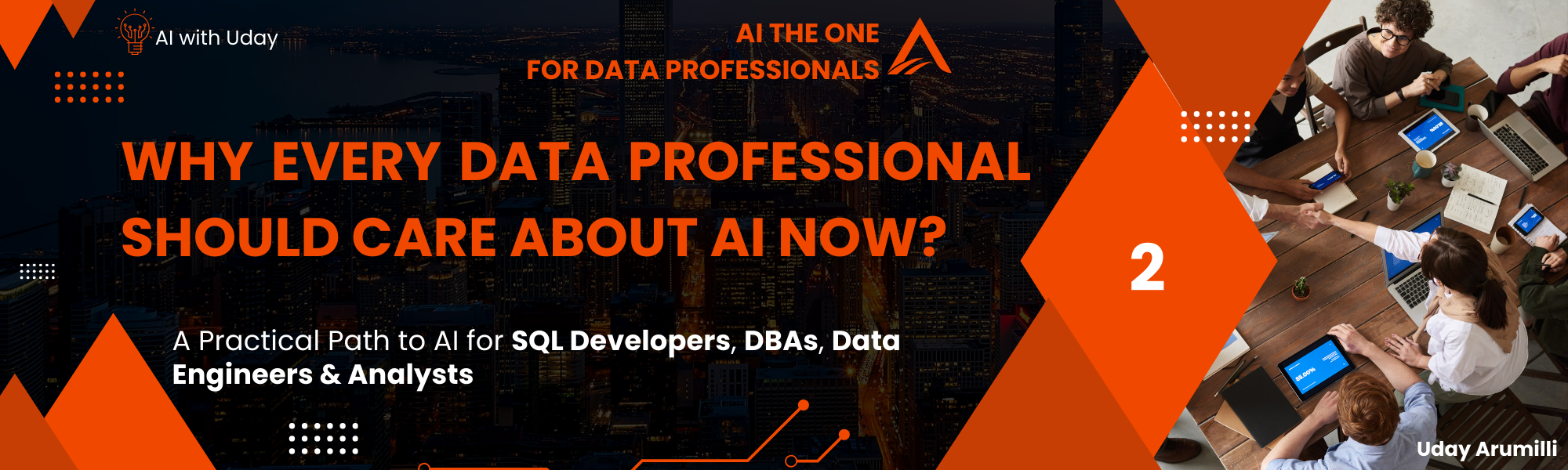
Data professional engaging with artificial intelligence and data visualizations, highlighting the importance of AI in modern data work.

From SQL to AI — Your Journey Starts Here

You’ve written thousands of lines of SQL, Python. You’ve managed terabytes of data, thousands of databases, optimized queries, built pipelines, and protected mission-critical databases.

But now, there’s a new buzz in the air — AI.

It’s not just for data scientists or machine learning PhDs anymore.

AI is entering your world — and it’s not knocking gently.

If you’re a SQL Developer, DBA, Data Engineer, BI Developer, or Data Analyst, this blog series is your invitation (and roadmap) to enter the world of AI — simply, clearly, and practically.

Let’s begin by answering one important question:

Why Should You, a Data Professional, Care About AI?

  • Because AI is no longer optional — it’s becoming part of the platforms, tools, and systems you already work with every day.
  • You don’t need to switch careers to become a Machine Learning Engineer.
  • But to stay relevant, evolve your role, and enhance your impact, you need to understand how AI fits into your world.

Here’s why:

Data professional engaging with artificial intelligence and data visualizations, highlighting the importance of AI in modern data work.

1. AI Is Already Embedded in the Tools You Use

AI is no longer isolated in research labs — it’s baked into your IDEs, SQL engines, notebooks, and reporting tools.

  • Copilot in SSMS, Azure Data Studio, Power BI, VS Code, GitHub: Helps you write code, generate documentation, fix performance issues — just by typing a prompt.
  • SQL Server 2022 & Azure SQL: AI-driven query optimization, memory grant feedback, and intelligent plan corrections.
  • Power BI & Microsoft Fabric: Natural language to report, Smart Narratives, and Copilot-driven dashboards.
  • Microsoft Purview: Uses AI for data classification, lineage inference, and policy recommendation.
  • Conversational and Code Assistants: ChatGPT (Open AI), Llama (Meta), Claude (Anthropic), Gemini (Google), Grok (xAI), Microsoft Copilot, GitHub Copilot, Perplexity AI, Cursor AI, Confluence AI (Atlassian) etc. 

2. AI Can Automate the Repetitive Stuff You Hate

Imagine:

  • Writing complex joins with a prompt like “Get all active policies with claims over $10,000 in the last year.”
  • Summarizing a 200-line query result in a few bullet points
  • Detecting anomalies in ETL logs before they break production

AI tools like AI2SQL, Cursor AI, and GPT, Claud are making this possible today — not in some far-off future.

3. AI Is Becoming Mandatory — Even in Job Interviews

 Tell me how you’ve used AI in your recent projects? This is no longer a data scientist–only question.

In today’s interviews:

  • AI is expected as a foundational knowledge area — like SQL, Python, Git, or Cloud.
  • Employers want data professionals who can enhance workflows, automate tasks, and understand LLM-driven features in tools.
  • Even non-technical roles are being asked about Copilot usage, prompt engineering, LLM Integrations, AI-assisted automation, or working with AI Agents.

Whether you’re applying for a SQL Developer, Data Engineer, BI Developer, Data analyst, or SQL DBA role, AI skills can set you apart — or leave you behind.

4. AI Bridges the Gap Between Data and Business Value

As a data pro, you’re already great at working with data. But AI helps you translate that data into business insights and decisions.

  • Build agents that answer business questions directly from your database
  • Use AI to detect patterns and exceptions faster than any dashboard
  • Convert raw reports into executive summaries
  • Enable non-technical users to ask questions in natural language and get smart answers

In short: AI helps you move from “Data Delivery” to “Business Impact.”

5. Your Role Is Evolving — Accept and Adopt to the Change

  • You’re not just a code writer or database gatekeeper anymore.
  • You’re a data strategist, an automation enabler, a knowledge engineer. AI makes your role more impactful, not less important.
  • In fact, AI needs people like you — People who know how data works, how to structure it, and how to ask the right questions.

What This Blog Series Will Do for You

This series — “AI The One” for Data Professionals — is built just for you.

  • No complicated math.
  • No confusing ML theory.
  • Just a clear, step-by-step journey from your current data skills to applied AI skill.
  • You’ll learn:
  • The basics of AI and how it applies to your daily work
  • Foundational knowledge of LLMs and AI systems
  • How to write Python like you write SQL
  • How to train simple models and build agentic systems
  • How to use LLMs to automate data workflows and reporting
  • How to think like an AI practitioner — without losing your core skills

Coming up next…

The question on everyone’s mind — Will AI replace you?

#learn, #ai, #sql, #dba, #llm, #dataengineer, #dataanalyst, #genai, #agenticai, #openai, #llama, #AgenticAI, #AI, #AIForDataProfessionals, #AIFreeCourse, #CloudData, #DataAnalyst, #DataEngineer, #DataScience, #DBA, #GenerativeAI, #Llama, #LLM, #OpenAI, #SQL

Posted in AI for Data People | Tagged , , , , , , , , , , , , , , , | 1 Comment